How to Feed an Entire Website to Claude Using Cloudflare's /crawl API
Cloudflare's new /crawl endpoint turns any website into Claude-ready markdown with one API call. Here's how to set it up, from API tokens to RAG pipelines.
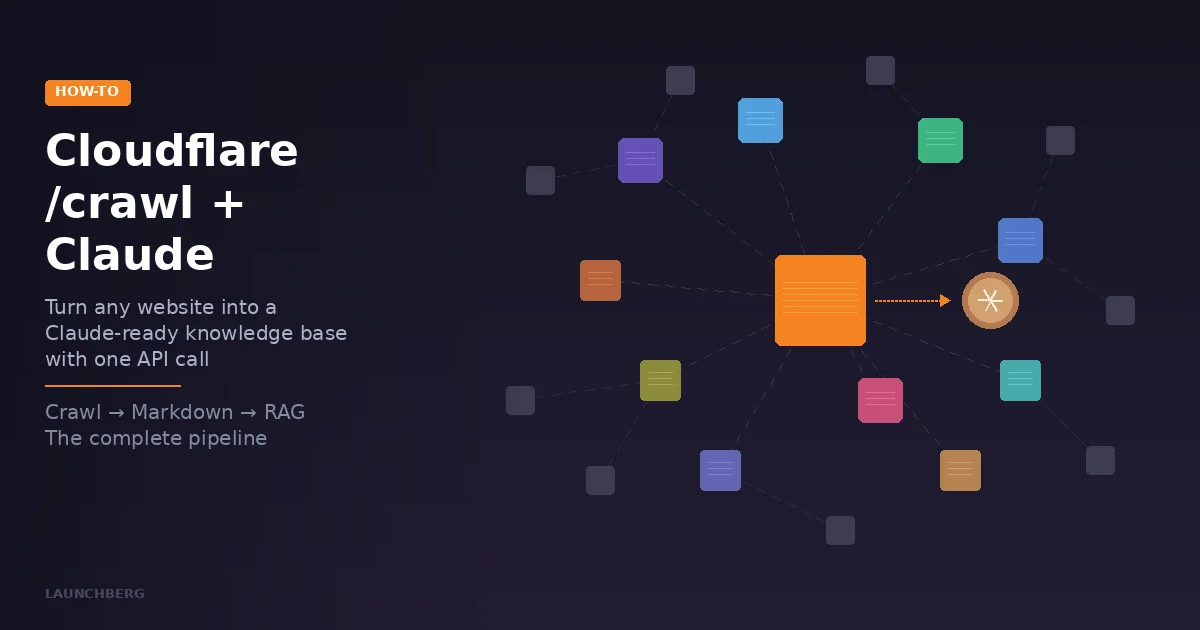
You want Claude to answer questions about a product's documentation, a competitor's blog, or an entire knowledge base. The bottleneck has always been the same: getting that content into a format Claude can actually use. Web scraping is fragile, manual copy-paste doesn't scale, and most crawling tools require more infrastructure than the project they're supposed to support.
Cloudflare shipped a fix on March 10. The new /crawl endpoint in Browser Rendering takes a single URL, follows every link on the site, renders each page in a headless browser, and hands you back clean markdown. One API call to start, one to collect results. That's it.
Here's how to wire it up to Claude — from a quick terminal test to a production RAG pipeline.
What You Need Before Starting
A Cloudflare account (free tier works for small crawls, but the Workers Paid plan at $5/month gives you 10 hours of browser time and lifts the limits that matter). An API token with Browser Rendering permissions. And either an Anthropic API key or access to Claude Desktop / Claude Code for the AI side.
To create your Cloudflare API token: go to the Cloudflare dashboard → My Profile → API Tokens → Create Token. You need the Account.Browser Rendering permission. Grab your Account ID from the dashboard sidebar while you're there.
Step 1: Crawl a Website
The /crawl endpoint is asynchronous — you kick off a job, get back an ID, then poll for results. Here's the simplest version:
# Start the crawl
curl -X POST \
  "https://api.cloudflare.com/client/v4/accounts/YOUR_ACCOUNT_ID/browser-rendering/crawl" \
  -H "Authorization: Bearer YOUR_API_TOKEN" \
  -H "Content-Type: application/json" \
  -d '{
    "url": "https://docs.example.com/",
    "limit": 50,
    "formats": ["markdown"],
    "render": false
  }'
The response is just a job ID:
{
  "success": true,
  "result": "c7f8s2d9-a8e7-4b6e-8e4d-3d4a1b2c3f4e"
}
Three parameters worth understanding right away. limit caps the number of pages (default 10, max 100,000). formats accepts html, markdown, and json — use markdown for Claude since it preserves structure without HTML noise. render: false skips the headless browser for static sites and is free during the beta, which is a nice cost saver if you're crawling documentation built with Astro, Hugo, or similar static generators.
Step 2: Collect the Results
Poll the job until it's done:
# Check status (lightweight, just 1 record)
curl "https://api.cloudflare.com/client/v4/accounts/YOUR_ACCOUNT_ID/browser-rendering/crawl/JOB_ID?limit=1" \
  -H "Authorization: Bearer YOUR_API_TOKEN"
When status flips from running to completed, fetch everything:
# Get all results
curl "https://api.cloudflare.com/client/v4/accounts/YOUR_ACCOUNT_ID/browser-rendering/crawl/JOB_ID" \
  -H "Authorization: Bearer YOUR_API_TOKEN"
The response gives you an array of records, each containing the URL, its markdown content, and metadata like the page title and HTTP status. If the response is over 10 MB, you'll get a cursor field for pagination.
Step 3: Send It to Claude
Here's where it gets interesting. You have three paths depending on what you're building.
Option A: Direct API call (quick and dirty)
Concatenate the markdown from the crawl, stuff it into a Claude message, ask your question. Works for small sites — maybe 20–50 pages of docs:
import anthropic
import requests

# Fetch crawl results
cf_resp = requests.get(
    f"https://api.cloudflare.com/client/v4/accounts/{ACCOUNT_ID}/browser-rendering/crawl/{JOB_ID}",
    headers={"Authorization": f"Bearer {CF_TOKEN}"}
).json()

# Combine all markdown pages
pages = cf_resp["result"]["records"]
combined = "\n\n---\n\n".join(
    f"# {p['metadata']['title']}\nSource: {p['url']}\n\n{p['markdown']}"
    for p in pages if p["status"] == "completed"
)

# Ask Claude
client = anthropic.Anthropic()
response = client.messages.create(
    model="claude-sonnet-4-5-20250514",
    max_tokens=4096,
    messages=[{
        "role": "user",
        "content": f"""Based on this documentation:\n\n{combined}\n\n
        Question: How do I set up authentication?"""
    }]
)
print(response.content[0].text)
The limit here is Claude's context window. Sonnet 4.5 handles 200K tokens — roughly 150K words of markdown — which is enough for most documentation sites. For anything bigger, you need Option B.
Option B: RAG pipeline (production-grade)
Chunk the crawled markdown, embed it, store it in a vector database, and retrieve relevant chunks at query time. The standard RAG pattern, but with Cloudflare doing the hard part of getting clean content:
import anthropic
from langchain.text_splitter import RecursiveCharacterTextSplitter

# Chunk the crawl results
splitter = RecursiveCharacterTextSplitter(
    chunk_size=1000, chunk_overlap=200
)

chunks = []
for page in pages:
    if page["status"] != "completed":
        continue
    page_chunks = splitter.split_text(page["markdown"])
    for chunk in page_chunks:
        chunks.append({
            "text": chunk,
            "source": page["url"],
            "title": page["metadata"]["title"]
        })

# From here: embed with your preferred model,
# store in Pinecone/Weaviate/Cloudflare Vectorize,
# retrieve top-k chunks per query, pass to Claude
Cloudflare's own Vectorize and Workers AI can handle the embedding and storage if you want to keep everything in their ecosystem. Or use whatever vector database you already have — the crawl output is just markdown and metadata, nothing proprietary.
Option C: MCP server for Claude Desktop
If you want Claude Desktop or Claude Code to crawl on demand — "read the docs at this URL and tell me how their auth works" — you can wrap the /crawl endpoint in an MCP server. Cloudflare already publishes an official MCP server for their services, and there are community MCP servers specifically for Browser Rendering.
The simplest approach: add the Cloudflare Browser Rendering MCP server to your Claude Desktop config. It exposes tools for fetching pages as markdown and HTML. For the new /crawl endpoint specifically, you'd extend it with a tool that wraps the POST-then-poll flow into a single function Claude can call.
Tuning the Crawl for Better Results
The default crawl parameters work, but a few adjustments make the output significantly more useful for AI consumption.
Use includePatterns and excludePatterns to skip changelog pages, archived content, and anything that'll pollute your knowledge base with noise:
{
  "url": "https://docs.example.com/",
  "limit": 200,
  "depth": 5,
  "formats": ["markdown"],
  "options": {
    "includePatterns": ["https://docs.example.com/docs/**"],
    "excludePatterns": [
      "**/changelog/**",
      "**/archive/**",
      "**/releases/**"
    ]
  }
}
Set render: false for static sites. Documentation sites built with Docusaurus, Astro, MkDocs, Hugo — anything that pre-renders HTML — don't need a headless browser. You'll crawl faster and, during the beta period, pay nothing for those fetches.
Use modifiedSince for incremental updates. If you're refreshing a knowledge base weekly, pass the Unix timestamp of your last crawl. Only changed pages get re-fetched. This is the feature that makes the difference between a "cool demo" and something you'd actually run in production.
Try json format for structured extraction. If you need specific data — pricing tables, API parameters, feature lists — the JSON format uses Workers AI to extract structured data from each page. You define a schema and a prompt, and get back typed objects instead of raw text. Costs extra (Workers AI billing), but it saves you from writing parsing logic.
What It Costs
Browser Rendering runs at $0.09 per browser hour. The Workers Paid plan ($5/month) includes 10 free hours. A typical documentation site with 200 pages takes maybe 5–10 minutes of browser time with render: true, so you're looking at under $0.02 per crawl. With render: false, it's currently free during the beta.
On the Claude side, feeding 50 pages of markdown into Sonnet 4.5 costs roughly $0.10–0.30 depending on content length. A RAG query against chunked content is much cheaper — maybe $0.01–0.03 per query since you're only passing relevant chunks.
The whole pipeline — crawl a docs site, build a knowledge base, answer questions — can run for under $1/month for moderate usage. That's hard to beat compared to maintaining your own scraping infrastructure.
A Practical Example: Monitoring Competitor Docs
Here's a real workflow. You want Claude to tell you what changed in a competitor's product documentation since last week.
import anthropic, requests, time, json

CF_ACCOUNT = "your_account_id"
CF_TOKEN = "your_cf_token"
BASE = f"https://api.cloudflare.com/client/v4/accounts/{CF_ACCOUNT}/browser-rendering/crawl"

# Crawl only pages modified in the last 7 days
job = requests.post(BASE,
    headers={"Authorization": f"Bearer {CF_TOKEN}",
             "Content-Type": "application/json"},
    json={
        "url": "https://docs.competitor.com/",
        "limit": 100,
        "formats": ["markdown"],
        "render": False,
        "modifiedSince": int(time.time()) - 604800
    }
).json()

job_id = job["result"]

# Poll until done
while True:
    status = requests.get(f"{BASE}/{job_id}?limit=1",
        headers={"Authorization": f"Bearer {CF_TOKEN}"}
    ).json()
    if status["result"]["status"] != "running":
        break
    time.sleep(10)

# Get results
results = requests.get(f"{BASE}/{job_id}",
    headers={"Authorization": f"Bearer {CF_TOKEN}"}
).json()

pages = [r for r in results["result"]["records"]
         if r["status"] == "completed"]

if pages:
    combined = "\n\n---\n\n".join(
        f"# {p['metadata']['title']}\n{p['markdown']}"
        for p in pages
    )
    client = anthropic.Anthropic()
    analysis = client.messages.create(
        model="claude-sonnet-4-5-20250514",
        max_tokens=2048,
        messages=[{
            "role": "user",
            "content": f"""These documentation pages were updated in the
            last 7 days:\n\n{combined}\n\nSummarize what changed.
            Focus on new features, deprecated features, and
            breaking changes."""
        }]
    )
    print(analysis.content[0].text)
Run that weekly with a cron job or as a research automation task, and you've got a competitive intelligence feed that actually tells you what matters.
The Crawl Endpoint Respects robots.txt
One detail worth noting: the /crawl endpoint is a "signed agent" that respects robots.txt and Cloudflare's AI Crawl Control by default. URLs that are disallowed show up in the results with "status": "disallowed" rather than silently failing. If you're crawling your own sites and hitting blocks, you'll need to update your robots.txt or create a WAF skip rule for Cloudflare's bot — the docs have specific instructions for this.
This is the right approach. Too many crawling tools treat robots.txt as optional. Cloudflare baking compliance into the default behavior means you can build on this without worrying about access policies — which is exactly what you want when the crawl output is feeding an AI system that your customers will interact with.
The /crawl endpoint is in open beta and available on both the Workers Free and Paid plans. Set up takes about five minutes if you already have a Cloudflare account. If you don't — well, now you have a reason to add another tool to the stack.